
Instant triggering
A grid of pads, up to 12 × 12, spread across unlimited pages. Trigger by mouse, keyboard, MIDI note, or from a phone on the network.
Live-show soundboard for macOS
GoBubble triggers audio instantly from a grid of pads, chains clips together with Behaviours, routes MIDI and timecode, and puts you in control live — across multiple pages, on stage, on air, or in the room.
Free 30-day evaluation · macOS · No credit card
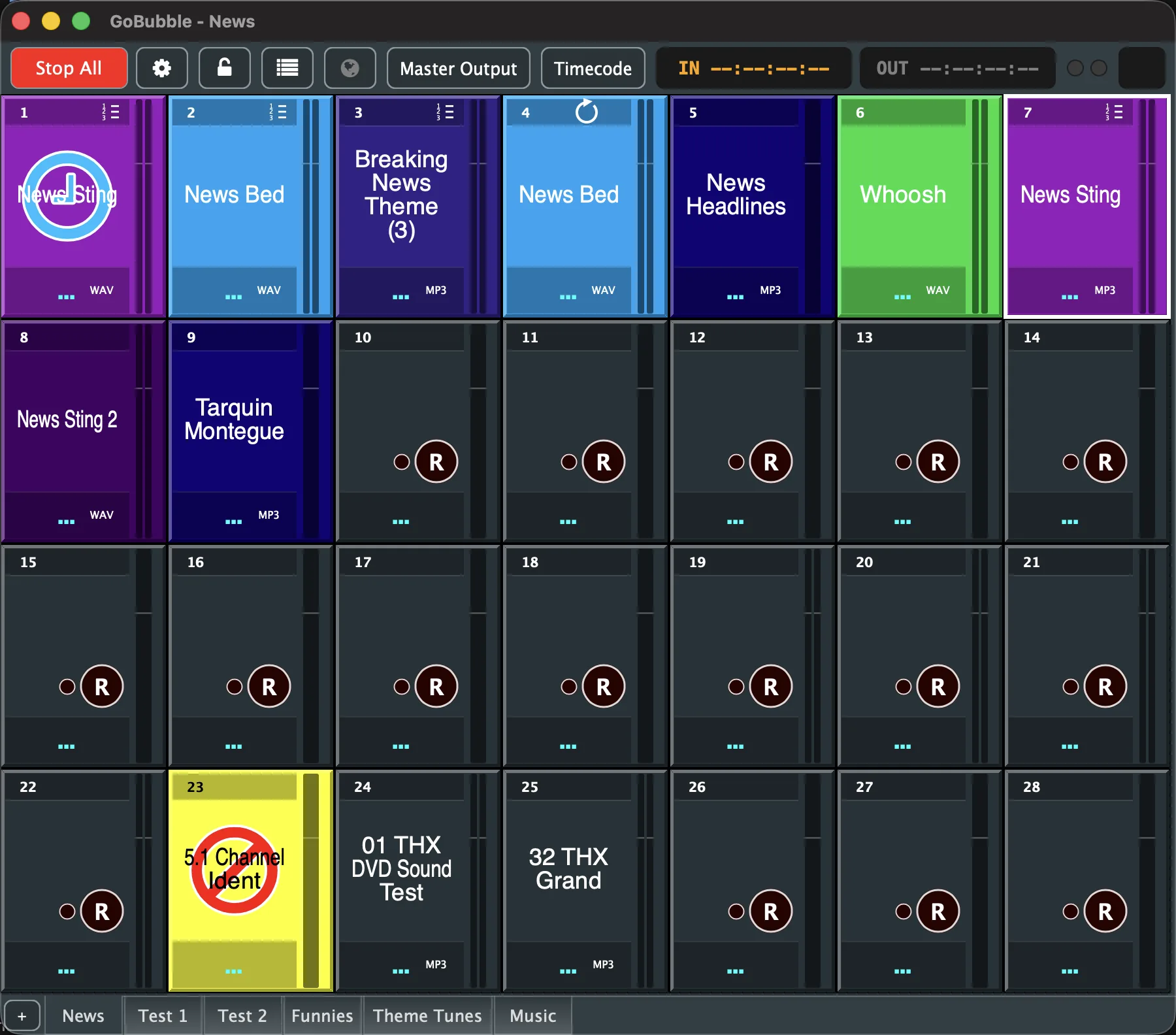
No hidden menus, no separate mixer app. GoBubble is built specifically for the moment a cue has to land on time.
A grid of pads, up to 12 × 12, spread across unlimited pages. Trigger by mouse, keyboard, MIDI note, or from a phone on the network.
Compressor, 4-band parametric EQ with high/low-pass, Gate/Expander, Delay, VST inserts and a De-hisser — reorderable and bypassable per clip.
Drop markers on the waveform that play, stop or cue other clips and groups. Build an entire cue sequence without writing a line of code.
Patch up to 6 tracks per clip onto up to 64 output channels on a visual matrix. 5.1 and beyond, fully supported.
Map any MIDI note or controller to an action, including a live master-volume fader. Sync to and generate LTC/MTC for broadcast and video.
Trigger and stop clips from any phone, tablet or laptop on the same network — no app to install, just a browser and a PIN.
Capture straight onto a pad from your audio inputs, then preview, load or delete takes from a built-in recordings library.
Hand the rig to a performer with confidence — a granular checklist decides exactly what stays editable while locked. Stop All never locks out.
Stings, beds and headlines cued to the second, with LTC/MTC sync to lock in with the rest of the chain.
Sequence sound cues with Behaviours, lock the rig for a performer, and keep Stop All one click away.
Simple enough for a volunteer operator, deep enough for a full multichannel service every week.
Route a walk-in playlist, a countdown sting and a Q&A mic bed from the same page of pads.